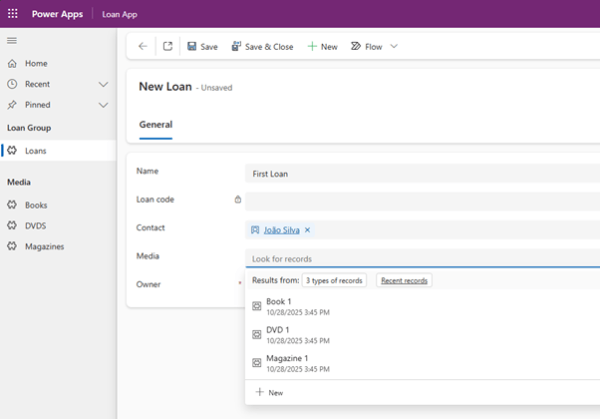
A lookup is a field type that creates a relationship between two tables. It allows one record to reference another record from a specific table, helping to connect related data in a structured way.
But what happens when you need a lookup that can reference more than one table? That’s where multi-table lookups come in.
What is a multi-table lookup?
A multi-table lookup is a special type of lookup field that can reference records from multiple tables. Rather than being restricted to a single related table, one field can point to different types of data while still providing a consistent and familiar user experience. This capability introduces a much greater degree of flexibility when designing relational data models.
If you’ve worked with Dynamics or Dataverse before, you may recognize this concept from the Customer field type. The Customer field is also a polymorphic lookup, designed specifically to reference either an Account or a Contact. For many years, this was the only polymorphic lookup available, meaning solutions were limited to those two tables whenever a flexible relationship was required.
The big change
Multi-table lookups expand this idea, allowing you to create polymorphic relationships that reference any tables, not just Accounts and Contacts.
This opens the door to much more flexible and expressive data modelling across solutions.
To illustrate this, let’s explore a scenario where a single relationship needs to support multiple possible record types.
Case scenario
Imagine you are managing a library with multiple types of media available for loan, such as books, magazines, and DVDs. You could create a separate lookup field for each media type on the loan table, but this approach can make it harder to view and manage records efficiently. A solution for that problem is a multi-table lookup.
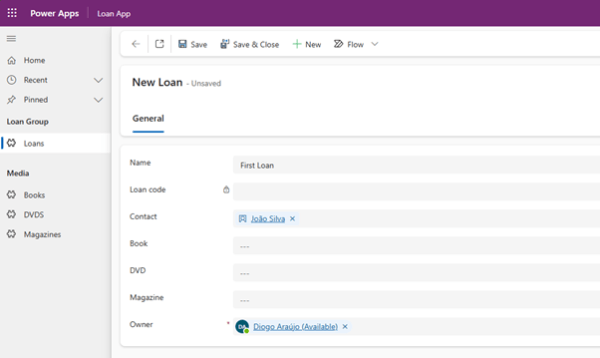
How to create a multi-table lookup?
Currently, custom multi-table lookups can only be created and modified using the SDK or Web APIs. Microsoft has indicated here that full support through the interactive user interface will be available in a future release.
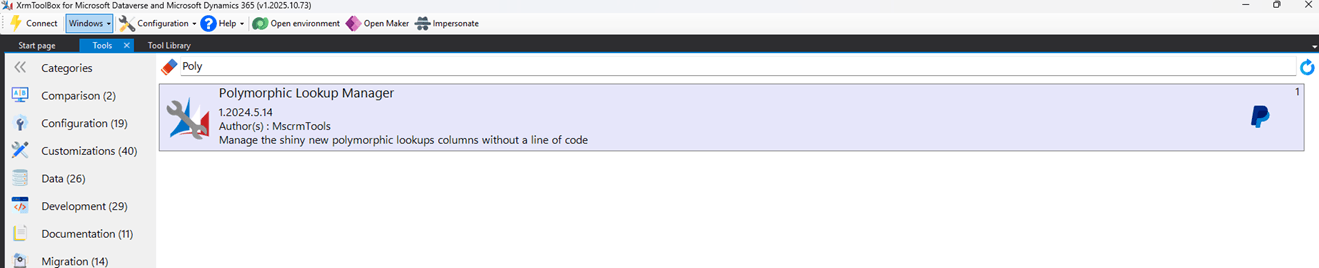
Fortunately, there is a XrmToolBox plugin developed by the community that enable makers to create these relationships in a smoother and more user-friendly way.
How it works
- Install and open the plugin “Polymorphic Lookup Manager”
- Select a solution
- Choose the refencing table
- Define the Display Name and Schema Name
- Select the referenced tables
- Click on “Create Polymorphic lookup” to create or “Apply Changes” to update an existing one
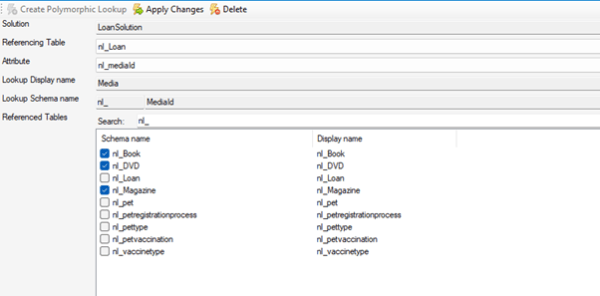
Now that the multi-table lookup is created, it can be added to a form or a view in a app.